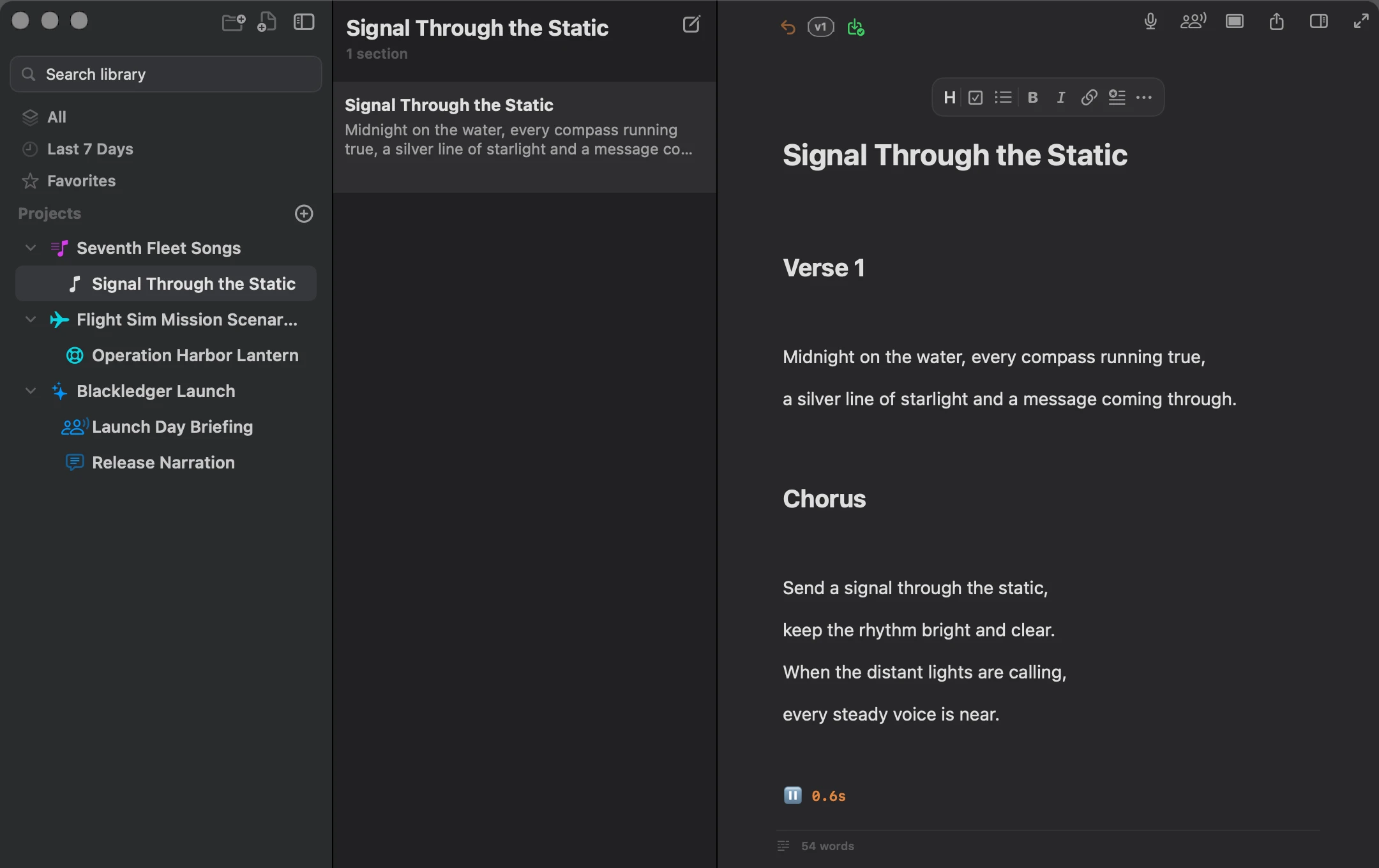
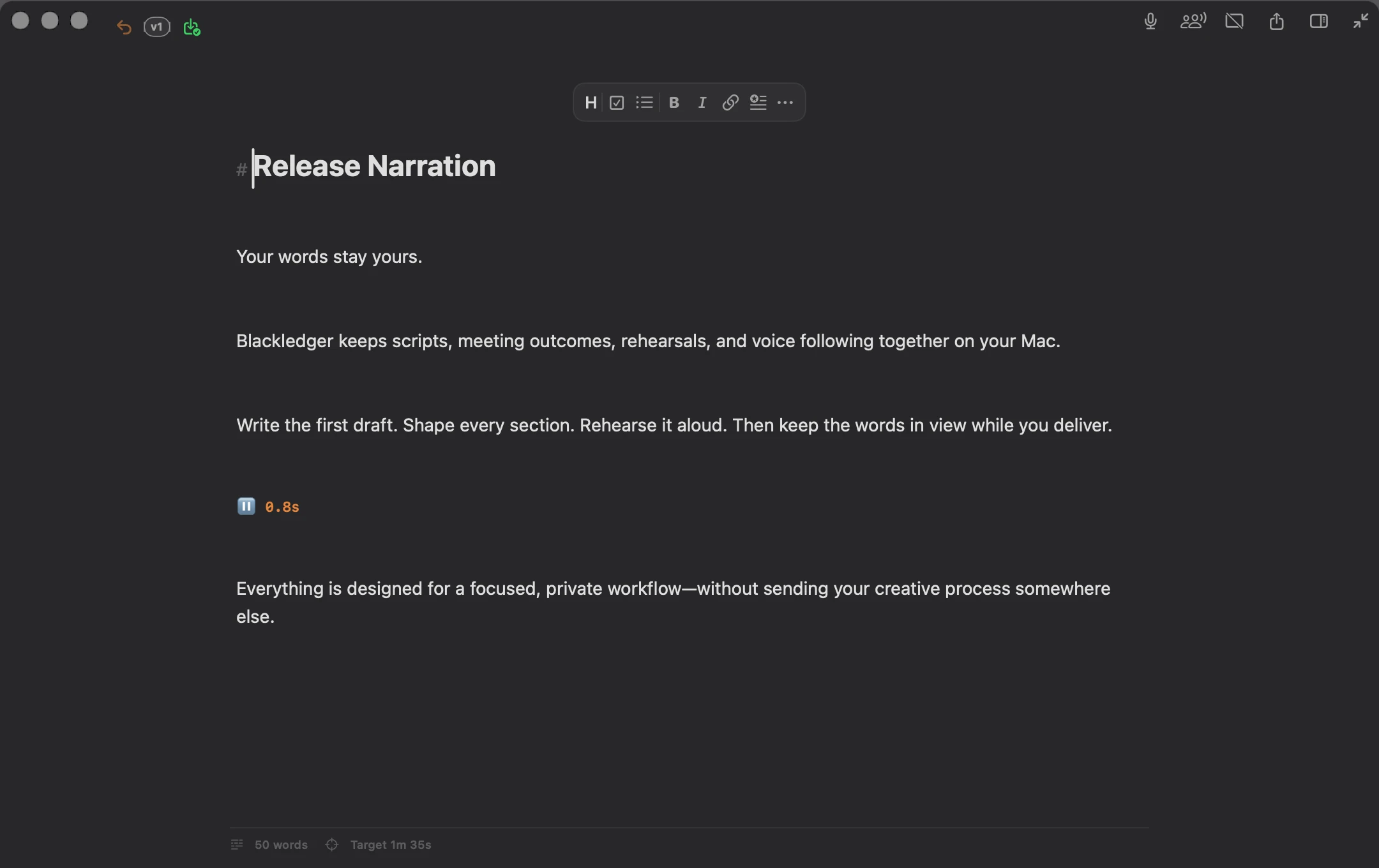
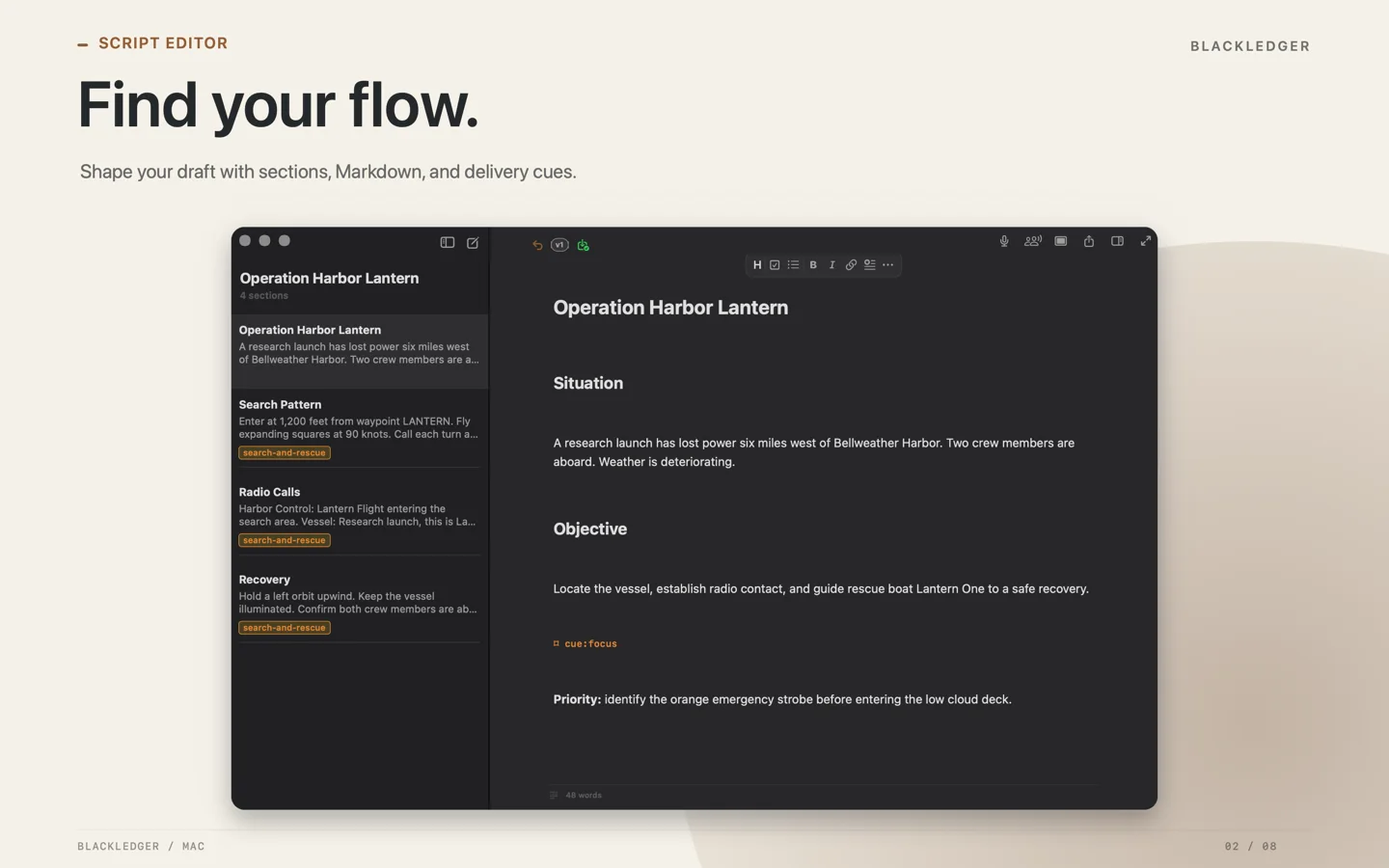
One workspace. From the first line to the last word. Actual app capture in a laptop mockup.
THE NOTCH TELEPROMPTER
Eyes up. Words right there.
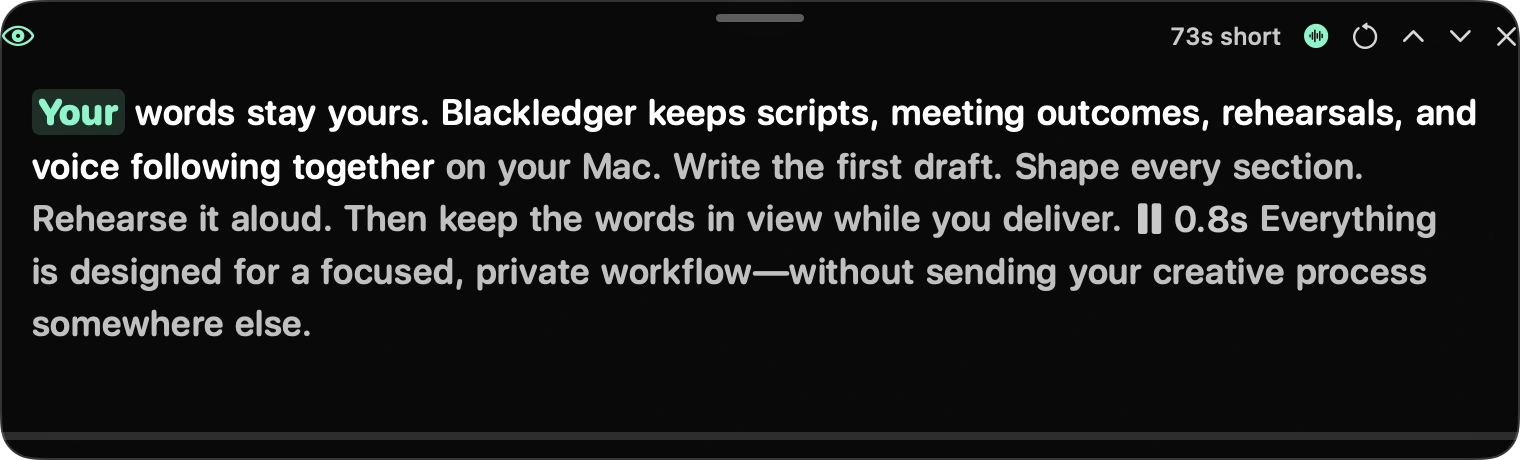
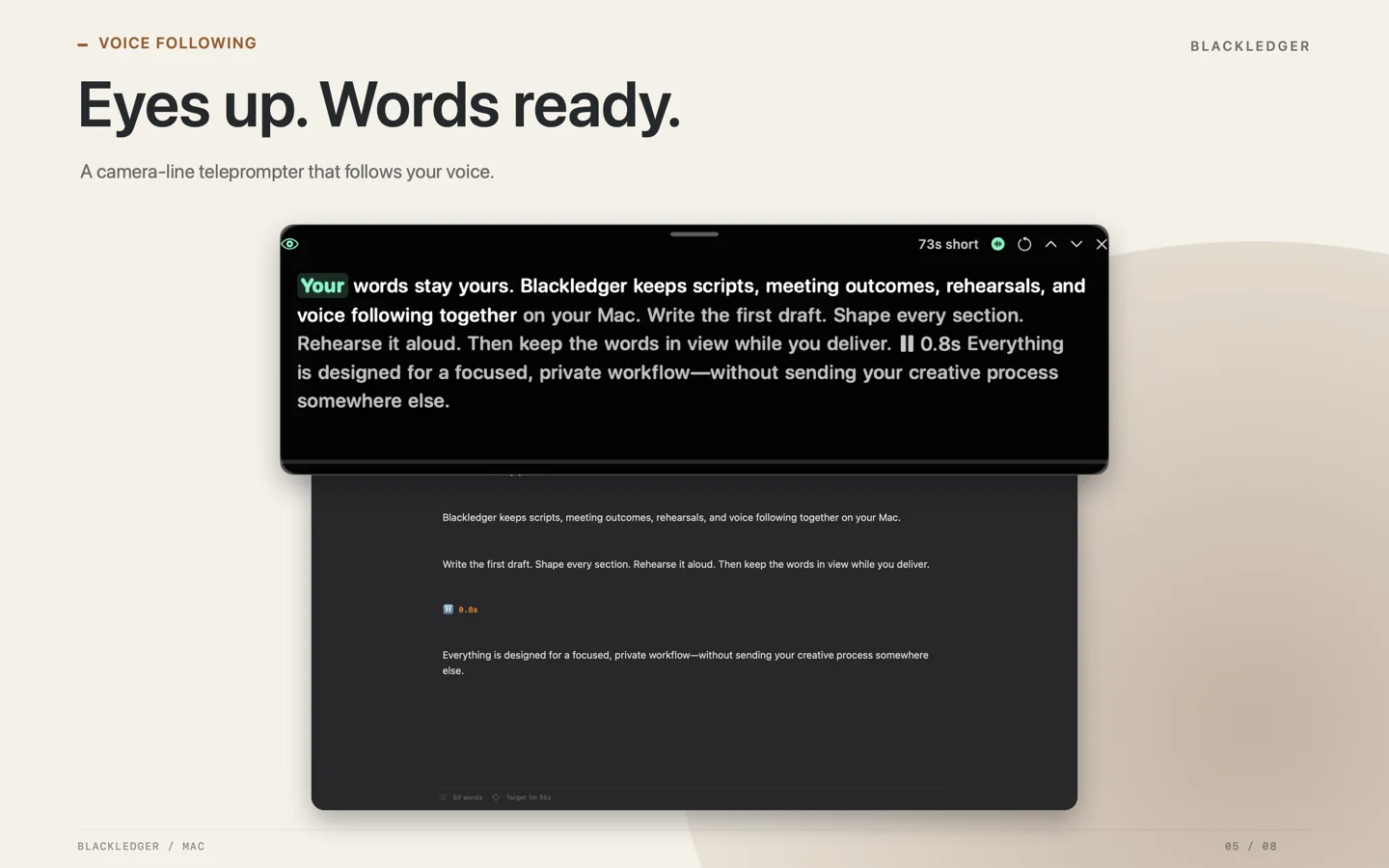
Place your prompt near the built-in camera. Keep the next words in view while your audience stays in your eye line.
Use the notch, dock the prompt, or move it freely. English voice following highlights your place as you speak.
Laptop mockup with actual app captures. Prompt placement illustrated.
A CLOSER LOOK AT VOICE FOLLOWING
01 / WRITE
Give every idea a place to grow.
Start with a line. Build a whole project. Keep documents, sections, tags, goals, and reference materials together in a focused Markdown workspace.
Version history, import, and export help you keep moving without losing the draft that worked.
02 / REHEARSE
Find your rhythm before the real take.
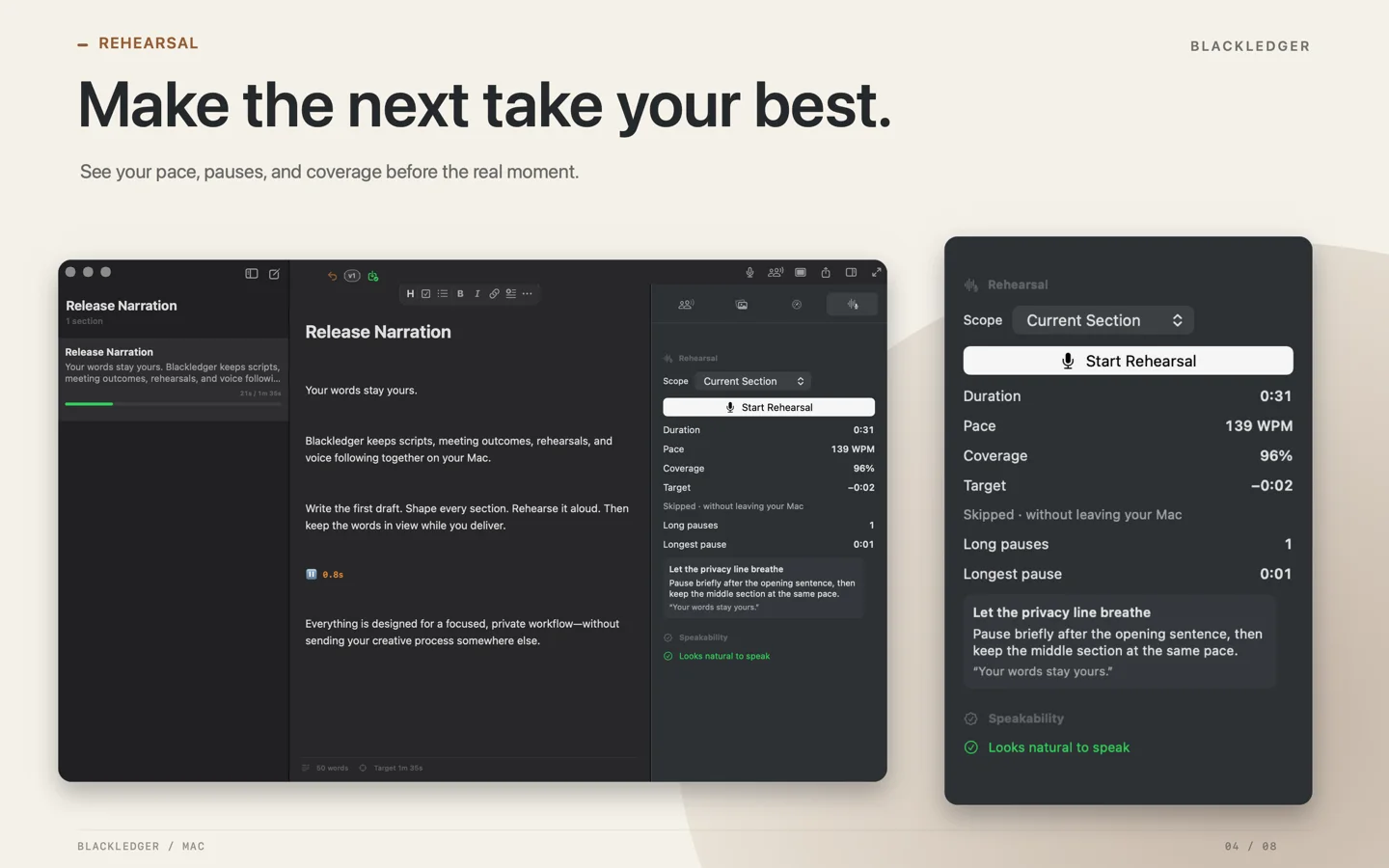
Practice a section or the whole document. Review your pace, coverage, pauses, fillers, and skipped phrases while the words are still fresh.
English speech recognition runs on your Mac. Rehearsal audio is never retained.
03 / DELIVER
Keep your words close. Your audience closer.
Bring the teleprompter to the camera line, dock it, or position it freely. Use timed scrolling or let English voice following track your place as you speak.
Countdown, mirroring, cue marks, and pace controls help you shape the delivery.
04 / REMEMBER
Keep the conversation with the work.
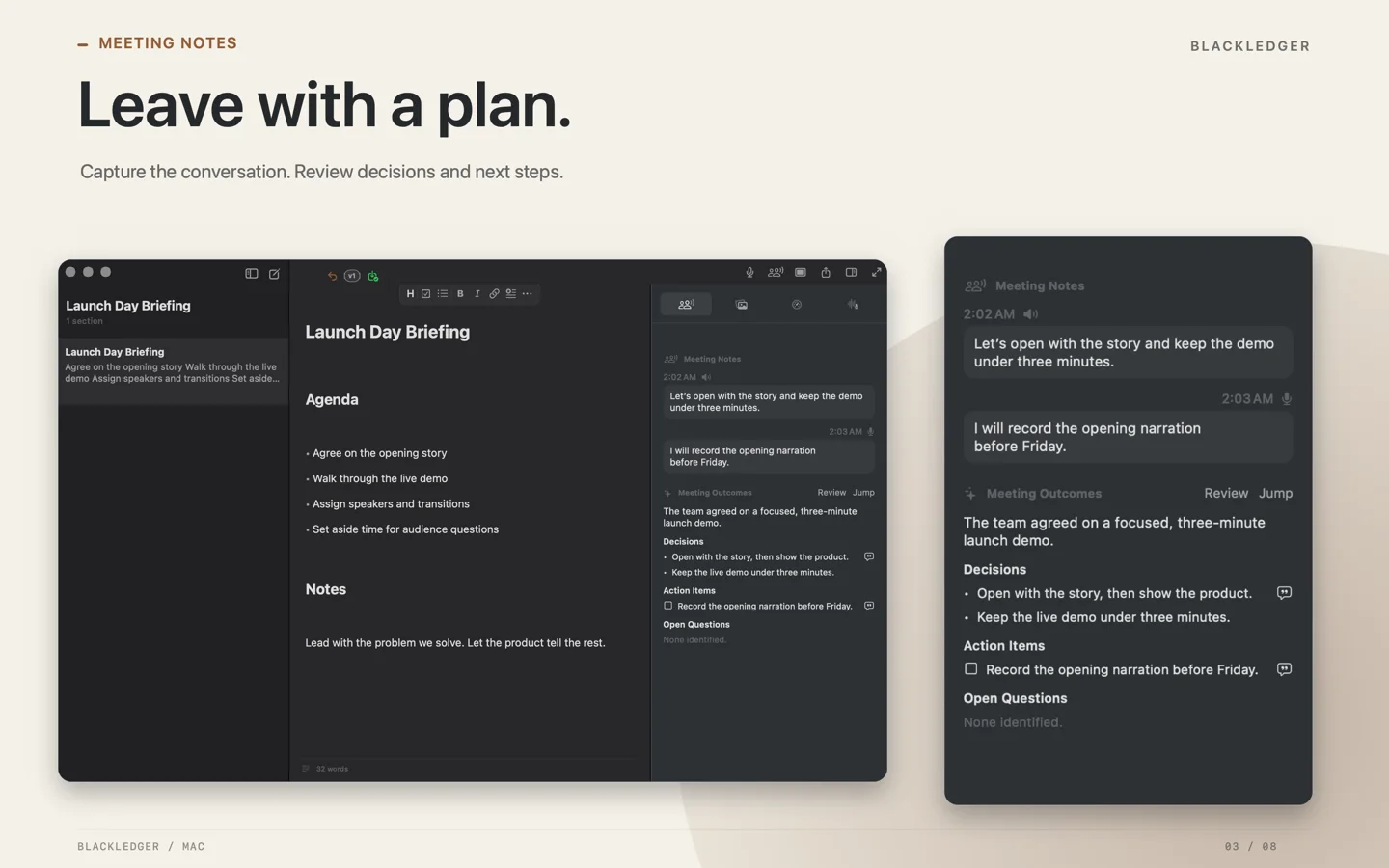
Capture Meeting Notes from your microphone and, when you choose, system audio. After you stop, review the transcript and editable outcomes with links back to the evidence.
Meeting Notes saves text, not captured audio. Speech processing stays on your Mac.
PRIVATE BY DESIGN
Your words belong to you.
Write locally. Process speech on your Mac. Choose private iCloud storage when you want your library to travel with you.
No account required.
Open Blackledger and start writing. There is no Blackledger account to create.
Speech stays on your Mac.
The speech model comes with the app. No cloud transcription service or model download is needed.
You choose iCloud.
Your library is local by default. Private iCloud storage is optional.
A LITTLE MORE ROOM TO THINK
The details that keep you in the flow.
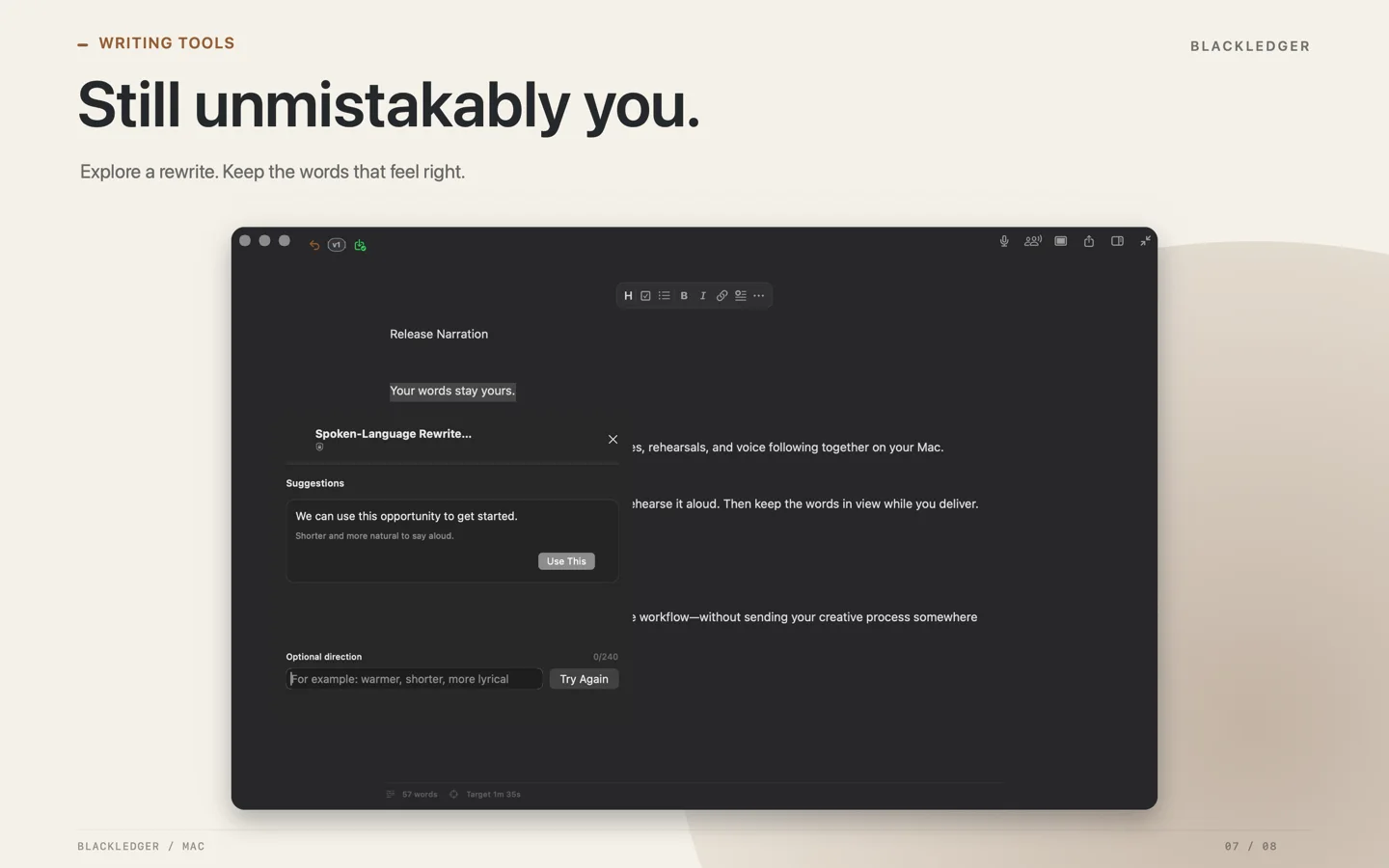
A fresh way into the next sentence.
Optional Writing Tools can help finish a line, make a passage natural aloud, or match your document’s voice. Review the suggestions before inserting them. Requires supported Apple Intelligence hardware, settings, and document language.
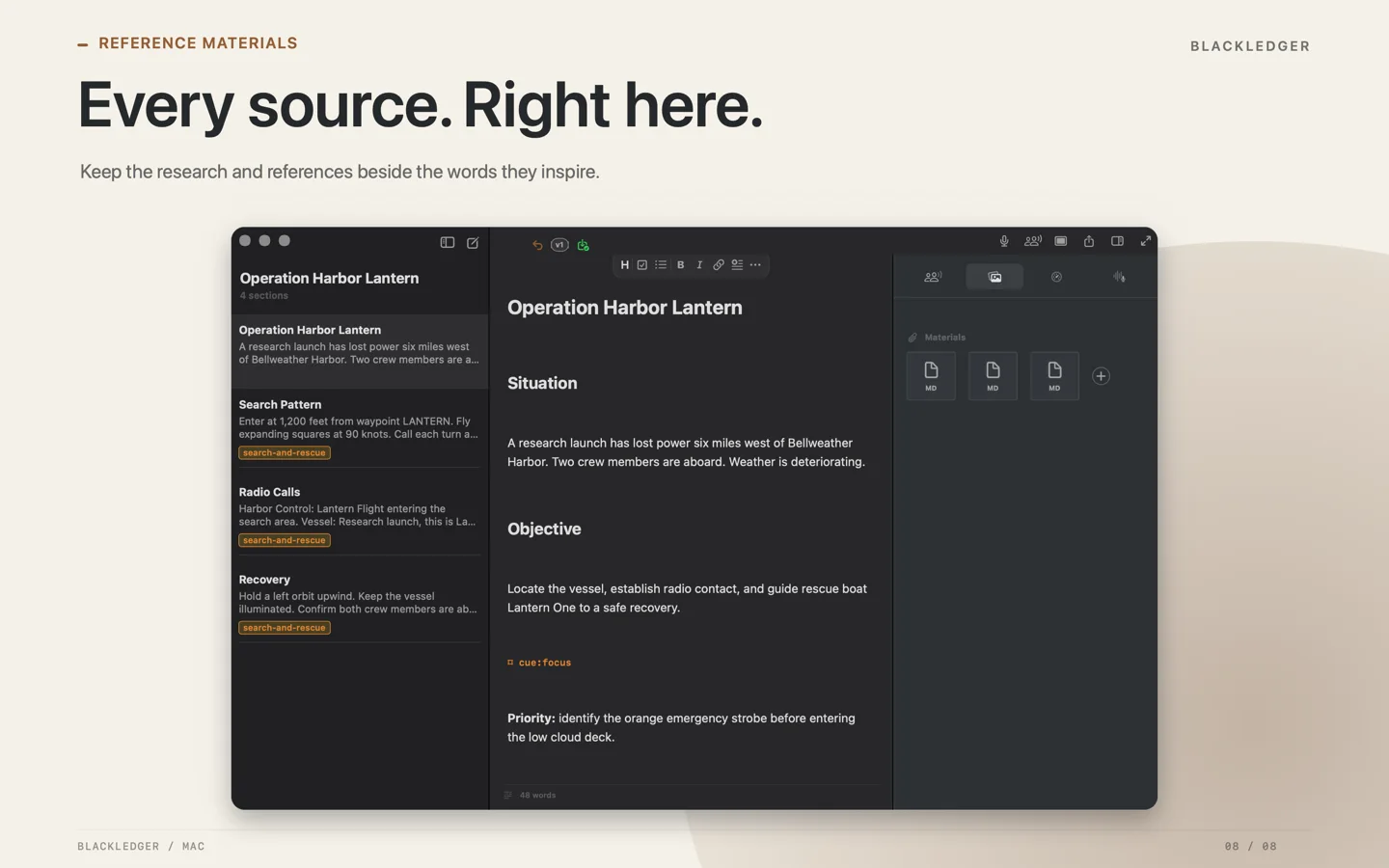
Keep the source beside the draft.
Bring attachments and reference materials into your workspace. Built-in English rhyme and thesaurus references work offline, so the right word is always close by.
GOOD TO KNOW
Before your first draft.
When can I download Blackledger?
Blackledger is coming to the Mac App Store as a free app. The download link will appear here after approval.
What Mac do I need?
An Apple silicon Mac running macOS 26 or later. Optional Apple Intelligence Writing Tools also depend on your system configuration and document language.
Which languages are supported?
The interface, editor, and manual teleprompter support English, Latin American Spanish, and Brazilian Portuguese. Speech-driven features and built-in rhyme and thesaurus references currently support English-language material.
Can I work offline?
Yes. Local writing, manual prompting, and the bundled English speech features work on your Mac. Optional iCloud storage needs an internet connection to sync.
Does Blackledger keep my audio?
Rehearsal audio is not retained. Meeting Notes saves transcript text and outcomes rather than captured audio. When recording a meeting, make sure participants know and have consented where required.